iPhone 5 screen vs iPhone 4: Really close up
by Justin Horn on Sep 25th, 2012 @ 2:43 pmReally cool stuff here by Bryan Jones:
However, looking at higher magnification is where you can really see the difference in images. It turns out that the pixels in the iPhone 5 are *precisely* the same size as the iPhone 4 pixels, but the iPhone 5 pixels have better color saturation with more contrast, seen particularly in the blue pixels. I did not calculate the difference in color saturation between the two iPhones, but it is pretty clear to the eye which is which. Apple claims 44% increase in color saturation and from these images, I believe them.
In the normal image you can still see the quality of the color. I can’t really see the pixels being closer to the screen though. If you have trouble seeing the difference in the color saturation from the normal pic, taking a look at the microscopic, straight on one clears up any doubts as to which screen is better.
(via Daring Fireball)
Follow me on Twitter @justin_horn
Many iPhone 4 upgraders surprised by eligibility date
by Justin Horn on Oct 7th, 2011 @ 4:30 amWatching Twitter tonight I noticed a lot of people finding out they were not eligible until November (my girlfriend included).
Read this for more info on why your at&t upgrade eligibility date is different than your neighbors.
Follow me on Twitter @justin_horn
Details on the Verizon iPhone antenna death grip fix
by Justin Horn on Jan 13th, 2011 @ 5:16 pmAntennaSys believes the new Verizon iPhone utilizes a new design to avoid the old, “non-existent”, I have no bars when I hold the phone in my left hand issue.
Spencer Webb from AntennaSys:
The SIM slot is gone, since it’s not a GSM phone. That frees up a bunch of real estate on the PC Board. Did Apple move the WiFi antenna (and probably also the GPS antenna) to the PC Board, under the rear glass? I think so.
In their FCC filing, Apple describes the WiFi antenna as a “PIFA”. This stands for Planar Inverted-F Antenna. I would never describe the “frame” antenna using those terms. So, this seems to support the theory.
Spencer also believes that with the extra space on the antenna band, from moving the WiFi and GPS antenna to the board, the band could now support two GSM antennas, to utilize ”antenna diversity”.
From the Wiki on antenna diversity:
Any one of several wireless diversity schemes that use two or more antennas to improve the quality and reliability of a wireless link.
This would allow the phone to switch between the two antennas, depending on which one has a stronger signal…the side that isn’t touching your greasy palms.
Follow me on Twitter @justin_horn
View 1 Comments
Antenna Issue, iPhone 4, Speculation, Verizon
Verizon iPhone coming February 10th
by Justin Horn on Jan 11th, 2011 @ 11:18 am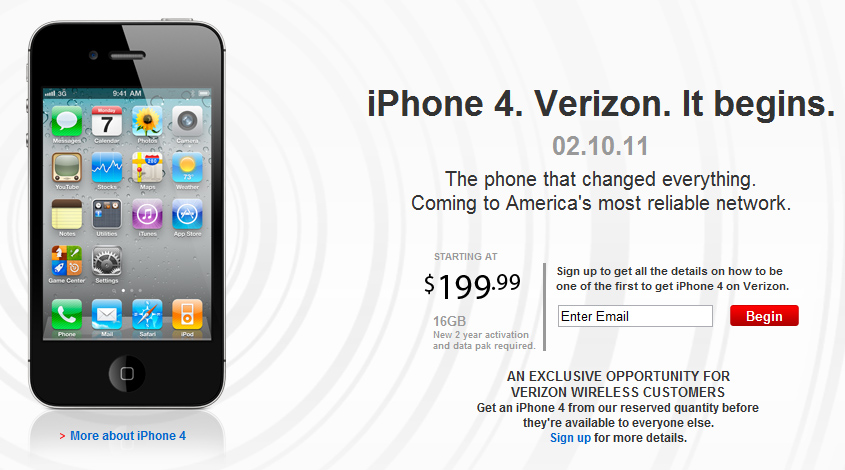
Well Verizon just announced they are going to sell the CDMA iPhone 4 starting next month, but their website already spilled the beans on the exact date, February 10th.
Follow me on Twitter @justin_horn
Verizon iPhone to go on pre-sale November 9th? Probably not.
by Justin Horn on Nov 3rd, 2010 @ 11:43 pm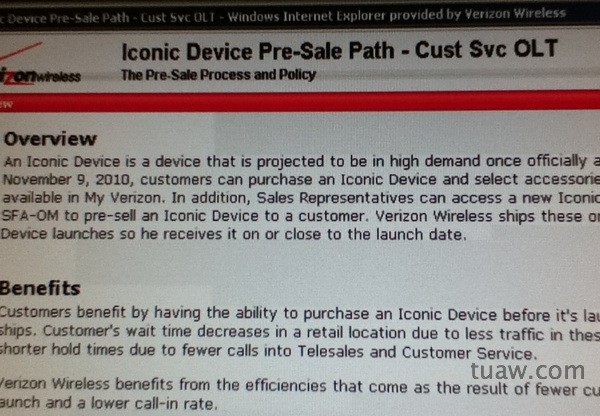
TUAW is reporting that the Verizon iPhone may be available for pre-sale orders on November 9th. I know I’ve doubted all the rumors so far, but after Verizon started selling the iPad I’ve become more open minded to the idea. Still though, this doesn’t seem very Apple like. I wouldn’t imagine Apple announcing a new CDMA iPhone, especially a Verizon iPhone, without having a big press event.
Remember also that all the most recent, more concrete, rumors have stated that the “vPhone” would be shipping early next year. I highly doubt Apple would allow Verizon to pre-sale the new phone so far in the future. If it’s going to happen, I believe Apple will have a big press event sometime in January to announce the phone and its release day. Any pre-sales would be, at most, 2 weeks before the product is available.
TUAW later updated the post stating that this is the same day the Motorola Droid Pro is set for release, that’s what I’m putting my money on.
Follow me on Twitter @justin_horn
Banned white iPhone 4 promo video
by Justin Horn on Oct 29th, 2010 @ 11:51 amAnother great video from the guys that brought you banned iPhone 4 and iPhone 4 antenna videos.
(via iClarified)
Follow me on Twitter @justin_horn
Comments Off
Humor, iPhone 4, White iPhone 4